About YouTube
YouTube is a video platform owned by Google, where people watch video and subscribe to the channels they follow. Media companies run channels there as public homes for their shows, posting long-form video and Shorts to grow an audience and earn money from ads, sponsorship and memberships.
Moments Lab and YouTube
Feeding a YouTube channel from a finished show used to mean a round trip. Someone found the moment, cut it, downloaded the render, signed in to YouTube and uploaded it again. Now one person does all of it in a single pass, and the stage where finished clips sit waiting to be uploaded goes away.
How it works
Publishing runs through Studio, our built-in editor for social video.
Publishing a clip
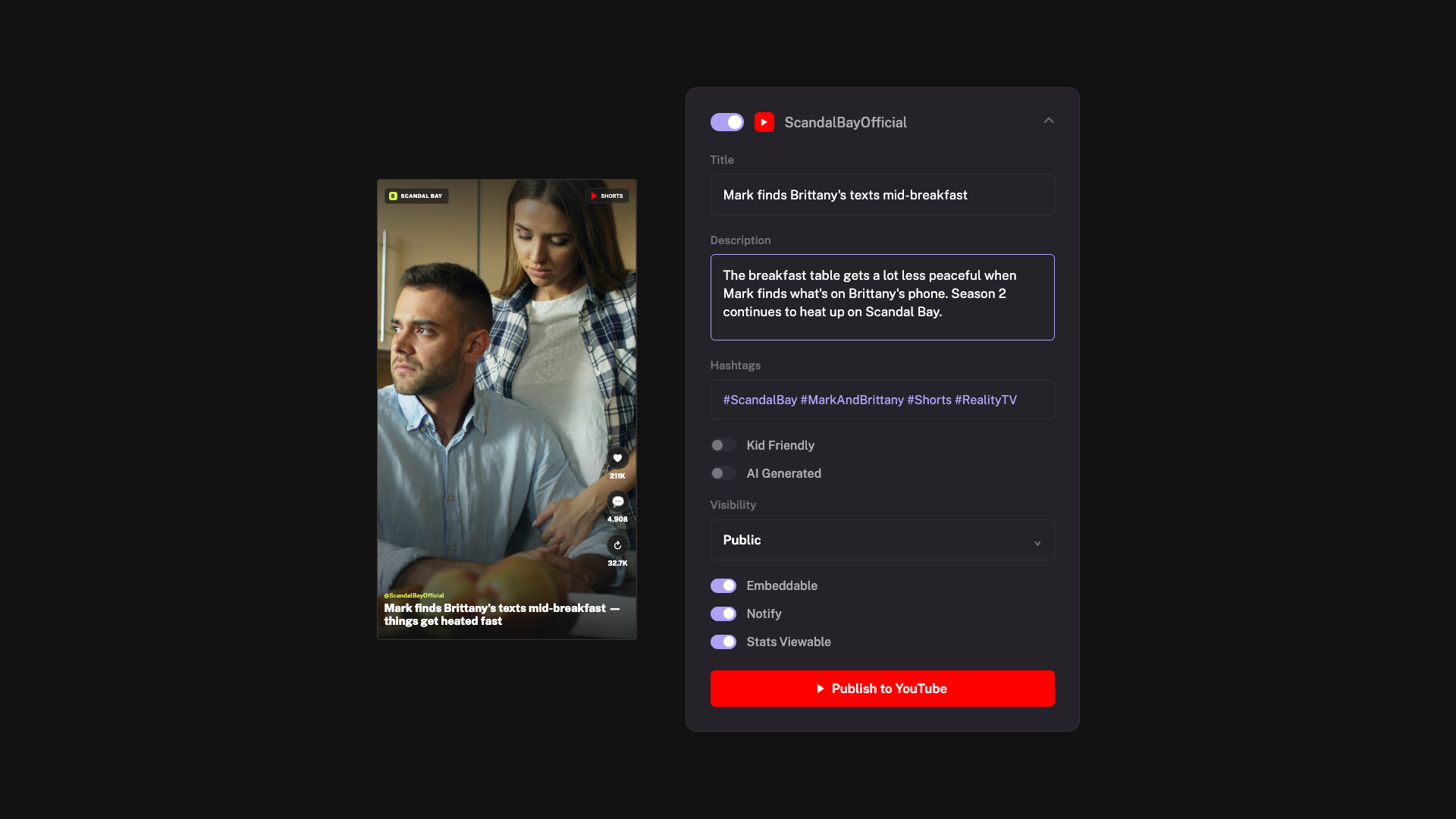
Your team finds the moment, trims it, reframes it for vertical and pulls subtitles from the transcript. Click Publish and Studio renders the final video from your original files or in whatever format you need to publish with. Then fill in the YouTube fields such as title, description, hashtags. Anything under three minutes lands in Shorts automatically. Your publication list confirms the post landed and links to it.
Connecting your channel, and who can publish
Your channel connects to a social profile, the umbrella for one show or brand, holding up to four accounts, one per platform. Our support team creates the profile, then a workspace admin signs in to YouTube once and links the channel. Only workspace admins can connect an account.

YouTube
Publish finished clips straight to your YouTube channel from inside Moments Lab
Similar integrations




Automate the workflows that move content and metadata between your systems and Moments Lab.

Point Moments Lab at your S3 buckets and search, clip and publish from them without copying the archive.

Automate tasks in qibb so new episodes reach Moments Lab, get indexed and are ready to clip.

Search your Moments Lab catalog and pull clips into your Media Composer timeline

Index the media on your ELEMENTS storage with Moments Lab AI, and find any moment without moving a file.
