Get Content in, Find it Fast: Three New Updates for Story Creation
The media industry is rapidly shifting. Organizations now realize that rich, timecoded AI-generated metadata (like that produced by Moments Lab's multimodal AI MXT) is essential. It transforms how they work, enabling content discovery in seconds, faster story building, and unlocking value from archived footage. This metadata democratizes discovery, allowing social, digital, and agency teams, not just archive staff, to find and use assets.
However, a hurdle remains: getting your scattered on-premise and cloud content into Moments Lab, where the AI processing occurs. The transfer process is often manual and complex, especially for high-res assets.
Today, we're releasing three updates designed to solve this problem. We are making it easier for everyone—with or without a dedicated dev team—to get content into Moments Lab and significantly faster to find what you need once it's there.
Moments Gateway: make your assets accessible, keep your high-res files where they are
Moments Gateway is the easiest way to connect your scattered media — from on-prem storage to cloud buckets — directly to Moments Lab for AI-powered enrichment and discovery.
How it works
Moments Gateway acts as a bridge between your existing storage and the Moments Lab platform.
It's a lightweight client installed on machines adjacent to your storage systems. It scans and syncs selected content to Moments Lab — keeping your high-res masters exactly where they are while unlocking their full potential and saving you the cost of storing high-res files in the cloud.
We, or one of our partners, install the client. The entire process is project-managed by our solution experts, who are experienced in moving and retrieving hundreds of thousands of hours of archives.
For on-prem systems, we can generate proxies locally before transferring them to the cloud — no waiting for high-res files to upload just to create proxies. You can schedule transfers for times that suit your organization, like when your teams aren't using bandwidth.
You can also ingest existing metadata wherever it sits. Once in Moments Lab, every file, word, face, and object is categorized, described, indexed and made instantly searchable, spotlighting t what's most important to your teams.
And here's the key: Moments Gateway maintains a pathway to your high-res content. When your editors need to work on downstream editing workflows, they can search and edit with proxy versions using our native NLE panels — like Adobe Premiere Pro. When they're ready to finish, they retrieve the high-res assets directly, with no manual hunting or file transfers.
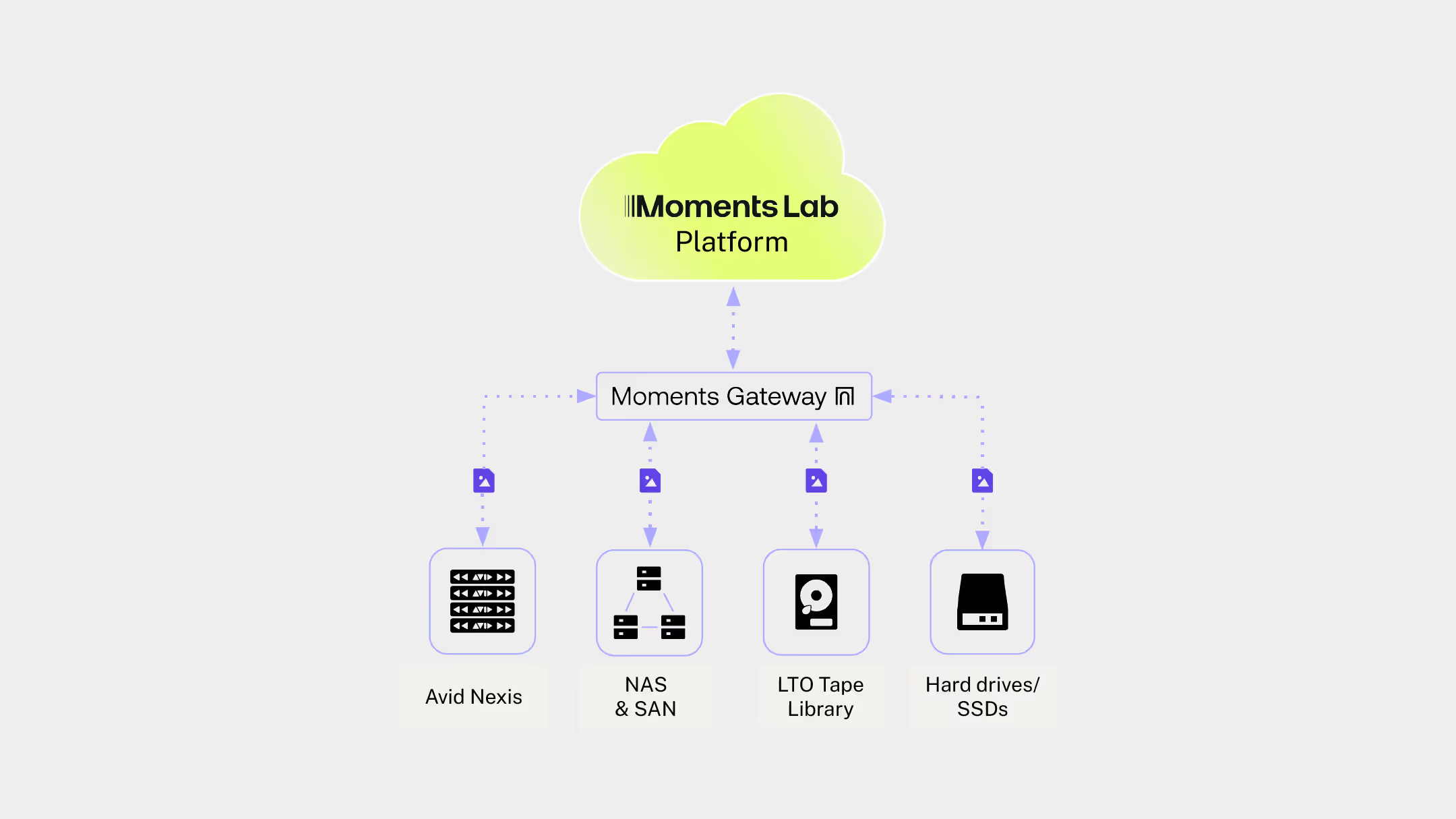
What you can connect
- On-prem Avid Nexis, NAS, and SAN storage
- LTO tape libraries (yes, even those)
- Existing cloud storage locations (AWS S3, Azure Blob, Google Cloud Storage, Backblaze, Wasabi …)
- Metadata databases (MAM, Airtable, Spreadsheets …)
Why it matters
Before Moments Gateway, getting content into Moments Lab meant siloed media, manual uploads, file transfer tools and lots of questions about how, what and when.
Now? Your scattered libraries become a single, intelligent view — accessible from anywhere, discoverable in seconds.
Smarter API ingestion: build your own gateway
Have a development team and want to build custom ingestion workflows that fit your exact needs?
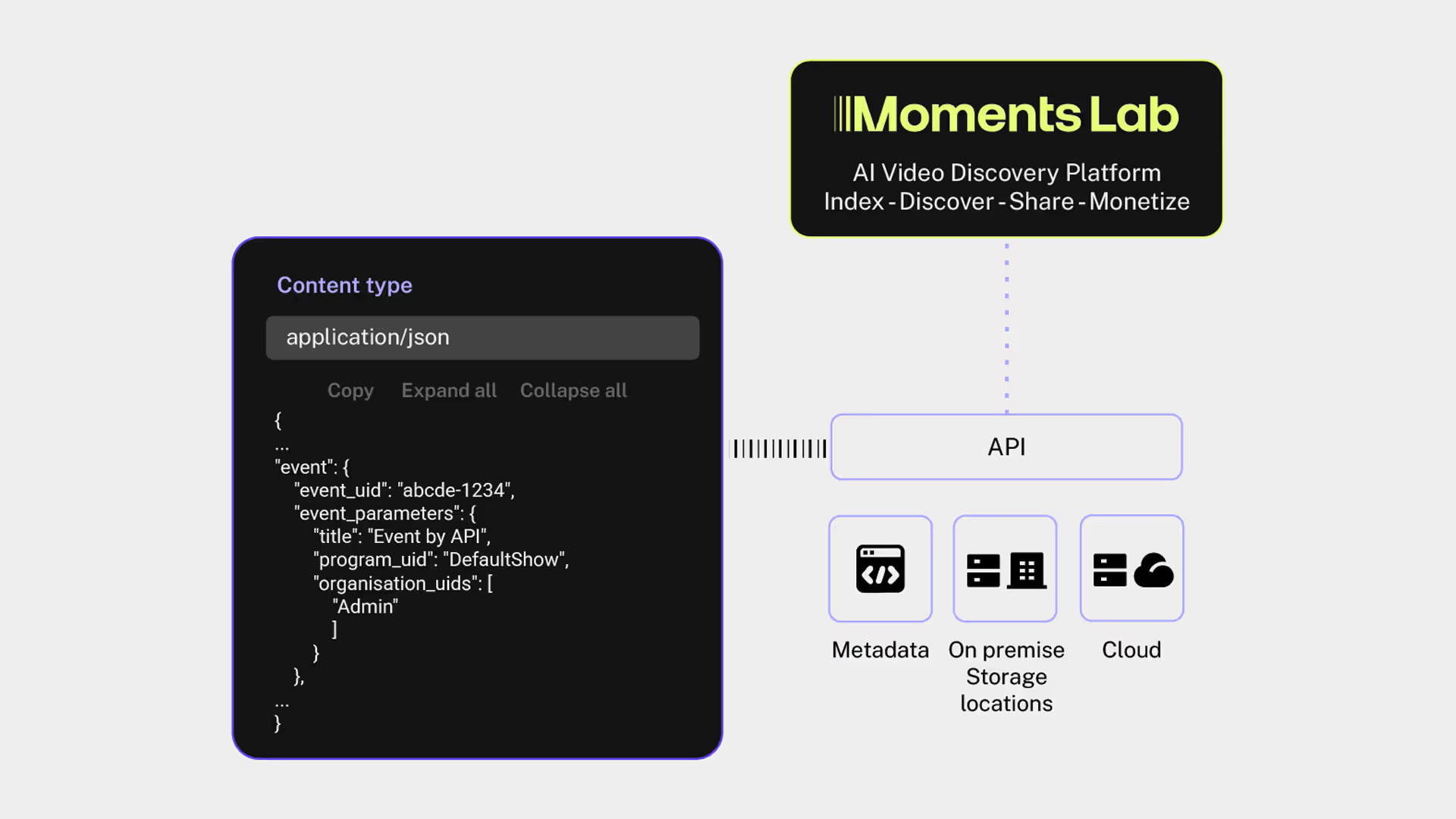
We've also improved the Moments Lab API so you can create your own version of a content gateway — with more control over how media enters the platform and how it's organized from the start.
What's new
You can now set more parameters and metadata automatically during ingest:
- Create events — virtual placeholders for your media — so content is organized before it even arrives
- Set organization permissions to control who sees what, right from upload
- Add custom metadata fields so content arrives tagged, categorized, and ready to use
- Force language transcription to ensure accuracy across multilingual archives
Why it matters
If you're a large broadcaster, sports organization, or enterprise with proprietary systems, you need flexibility. Maybe you're automating workflows from production to post. Maybe you're connecting legacy systems that no one else supports.
The API improvements give your dev team the tools to build exactly what you need.
And if you don't have a dev team? That's fine. Moments Gateway does this for you, out of the box.
Check out our API Documentation
Semantic search: find the right shot — even when you don't know the right words
So now your once-scattered content is accessible, viewable, and usable in one place in the cloud, indexed by our AI and ready to be discovered.
Today, users have two ways to search for content in Moments Lab:
- Keyword search, which is great for finding content when you know how it's named or indexed. Perfect for when someone says a very specific word in a press conference or interview and you know exactly what they said.
- Discovery Agent, which is a conversational style of searching that lets you prompt your media library like you would a colleague — except this colleague knows every shot and clip inside out. Great for exploring your library or running multiple searches at once.
But speaking with our users, we realized an in-between was missing.
That's why we're releasing Semantic Search.
How it works
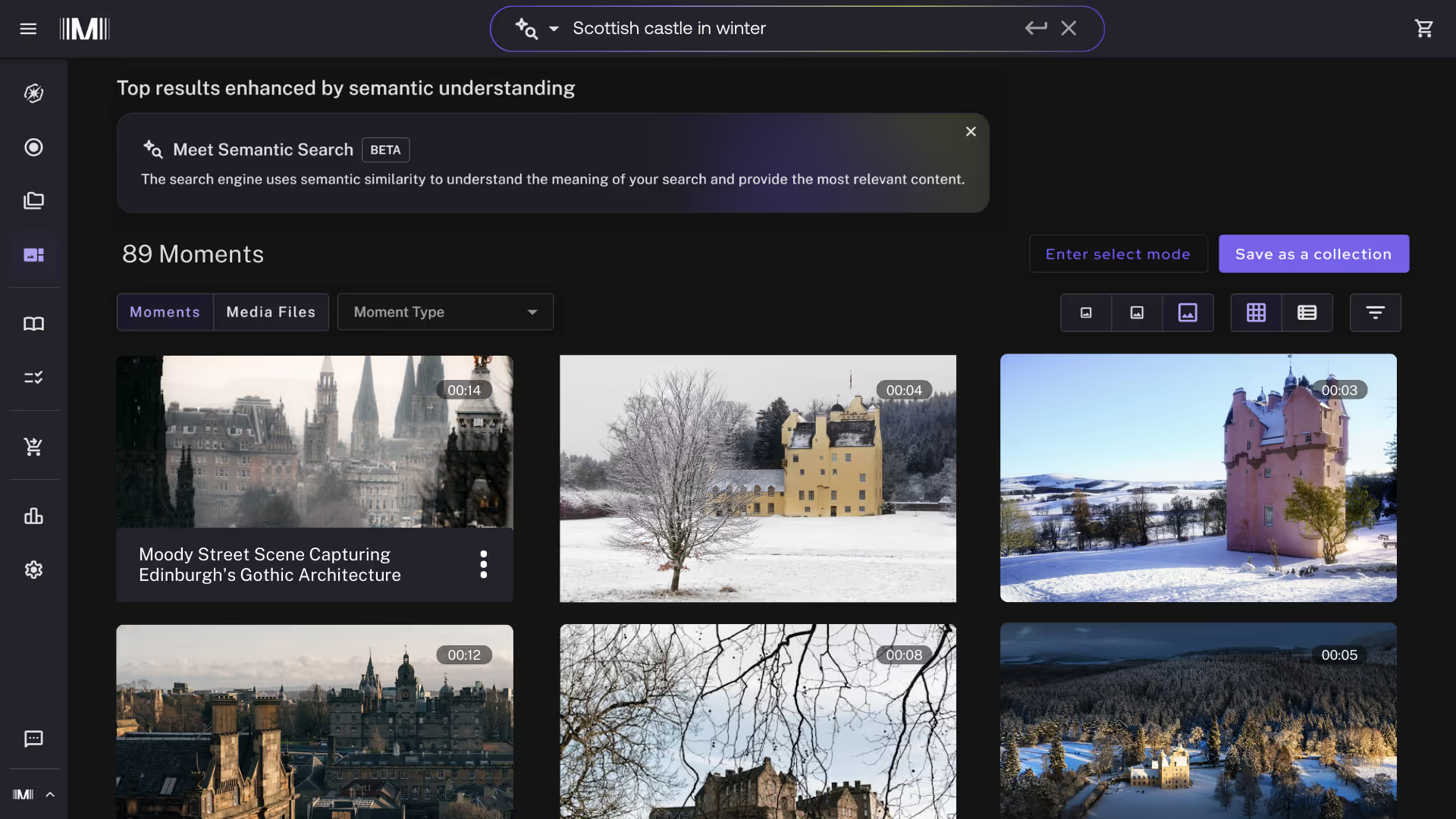
Semantic Search is a new mode accessible from our regular platform search bar. Users simply toggle to switch from keyword search to semantic search.
Type what you're looking for — even if it's vague, a typo, or worded differently than the metadata. You'll get more results because the search now looks for words related to, or similar to, your query and not just exact matches.
Like with keyword search, you can:
- Toggle between list view to see AI-generated descriptions, or grid view to see thumbnails
- Toggle between media files — entire videos that match your query — or moments — specific timecoded clips identified by MXT
- Filter to get more granular, whether it's content type, duration, rights management metadata, or something else
Why it matters
Keyword search is precise but unforgiving. Discovery Agent is conversational but not always the fastest for specific shots. Semantic Search sits in the middle — giving you the speed of search with the intelligence to understand what you mean, not just what you type. You spend less time guessing keywords and more time finding footage. Hidden content surfaces instantly. Frustration disappears.
Ready to see these updates in action?
Moments Gateway, Semantic Search, and API improvements are available now.
Want to see how they work with your content? Book a demo or contact your account manager.
.avif)