Introducing Moments Lab 2.0: the shortest path from your catalog to a published video
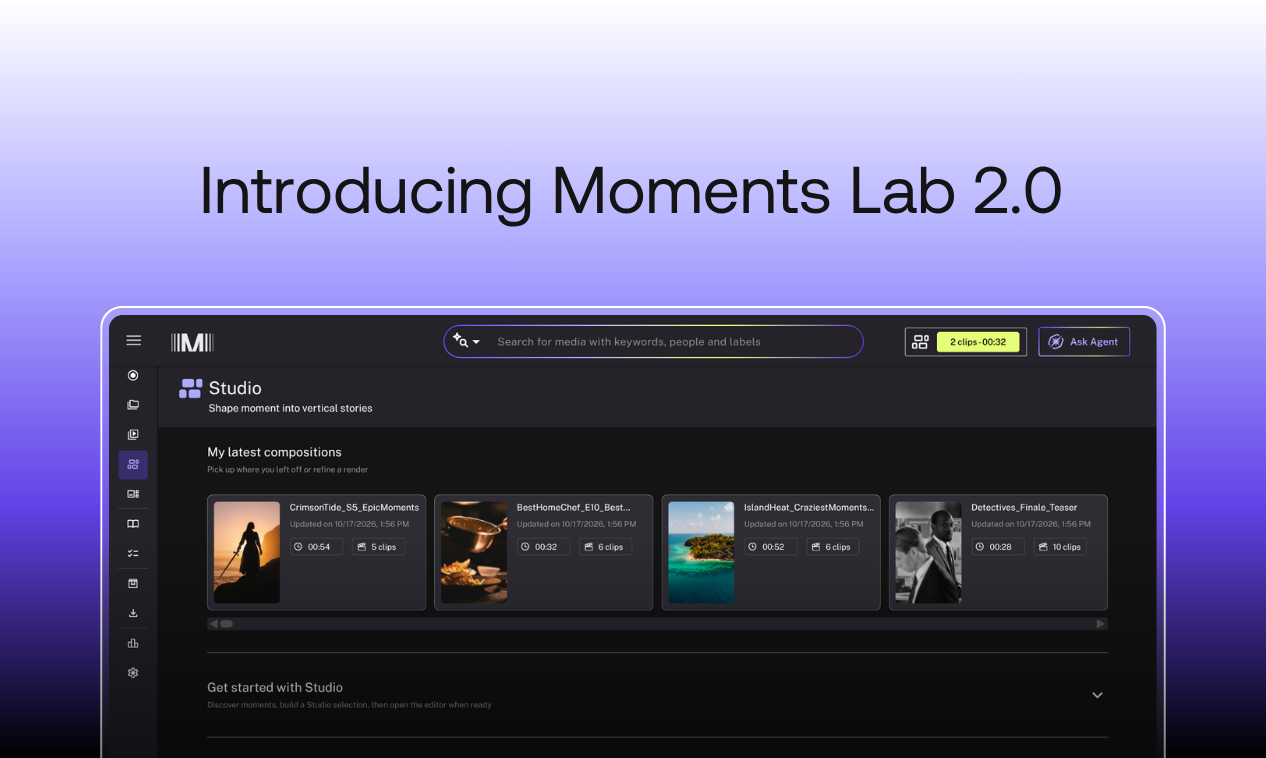
Studios, broadcasters and streamers have been hearing the same advice for years. The catalog is a goldmine. Repurpose it, reactivate it, retell stories from it, and turn it into revenue on digital platforms. Almost nobody in the industry disagrees. What hasn't arrived is a way to actually do it at scale.
For all the talk about AI in video, ask a digital team how last week's clips got made and you'll hear a long list of manual steps.
Sourcing the moments is still the hardest part. Someone has to remember which episode it was in, or dig through a spreadsheet of timecodes, or scrub an hour of footage to land on 20 seconds.
Then, once the moments are found, the manual work starts over. A digital lead at a large UK studio walked us through her team's version of it: download to the desktop, re-upload to edit, cut and clip by hand, export, re-export back to the desktop, then re-export into the publishing tool.
That's what we're building Moments Lab to solve: a tool dedicated to turning your catalog into a steady stream of clips, ready to publish, for social and beyond. This latest release brings two things together: the third generation of the AI tuned to your shows, which makes every moment easy to find, and Studio, an editing workspace built for digital, directly inside the platform. Between them they cover the whole distance from catalog to a finished video live on your channels.
We have never put a version number on Moments Lab before. We're using one now because this release changes what the platform truly is.
Here is what is in it.
Search that understands your shows
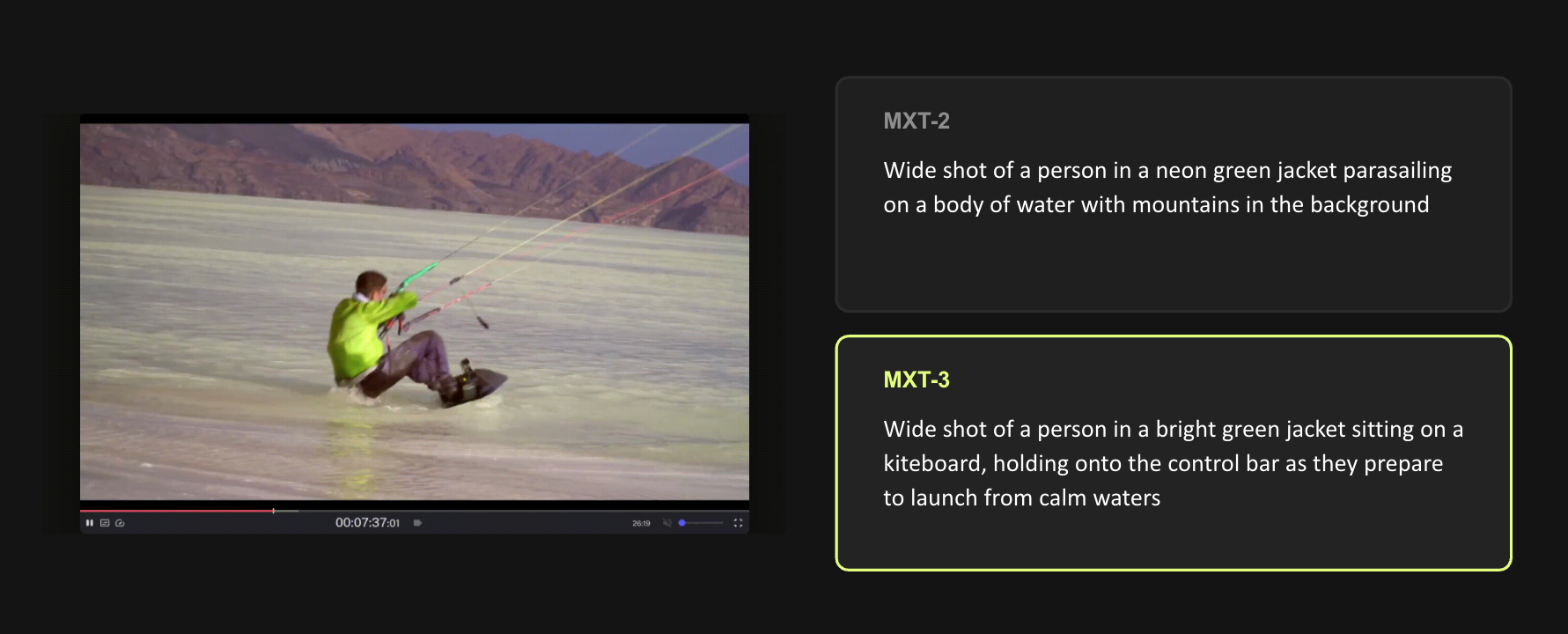
Search only works if the system understands what it's looking at, not just what's in the frame. The AI built into Moments Lab has been markedly improved. MXT is tuned to your content: your characters, your storylines, the way your editors think. We call it editorial intelligence, and the third generation makes it considerably more reliable.
- PEEK, a small model we built for smarter frame selection, picks out where the real action happens, so an upgraded vision model can describe it more accurately.
- Transcription is more accurate, so there are fewer captions to fix by hand.
- Speaker separation is cleaner in every language, so who said what holds up.
That's what powers the Discovery Agent. Ask for what you want in plain language, a character's funniest one-liners, a reality show's most brutal challenges, the scene that fits the trend running this week, and it surfaces the right moments back to you.
Turn found moments into finished video, without switching tools
Most teams we talk to tell us the same thing: for the clips they need to create on digital, the professional tools they use today like Adobe Premiere Pro or Avid Media Composer are more advanced than they actually need. Studio does that work directly inside Moments Lab. Studio opens a clip on a timeline, already split into individual shots, so the cuts are found before anyone starts trimming.
- Digital producers can trim to the exact second and reorder moments, then mark any moment as a hook, which Studio duplicates as the opening so the video starts on its strongest beat.
- Everyone gets subtitles generated from the transcript the moment a clip opens, and can translate them for another market.
- Editors who'd rather work in Premiere or Avid for other projects still can. The same clips are available in the panels they already use.
Cut a vertical short, or assemble a long-form edit
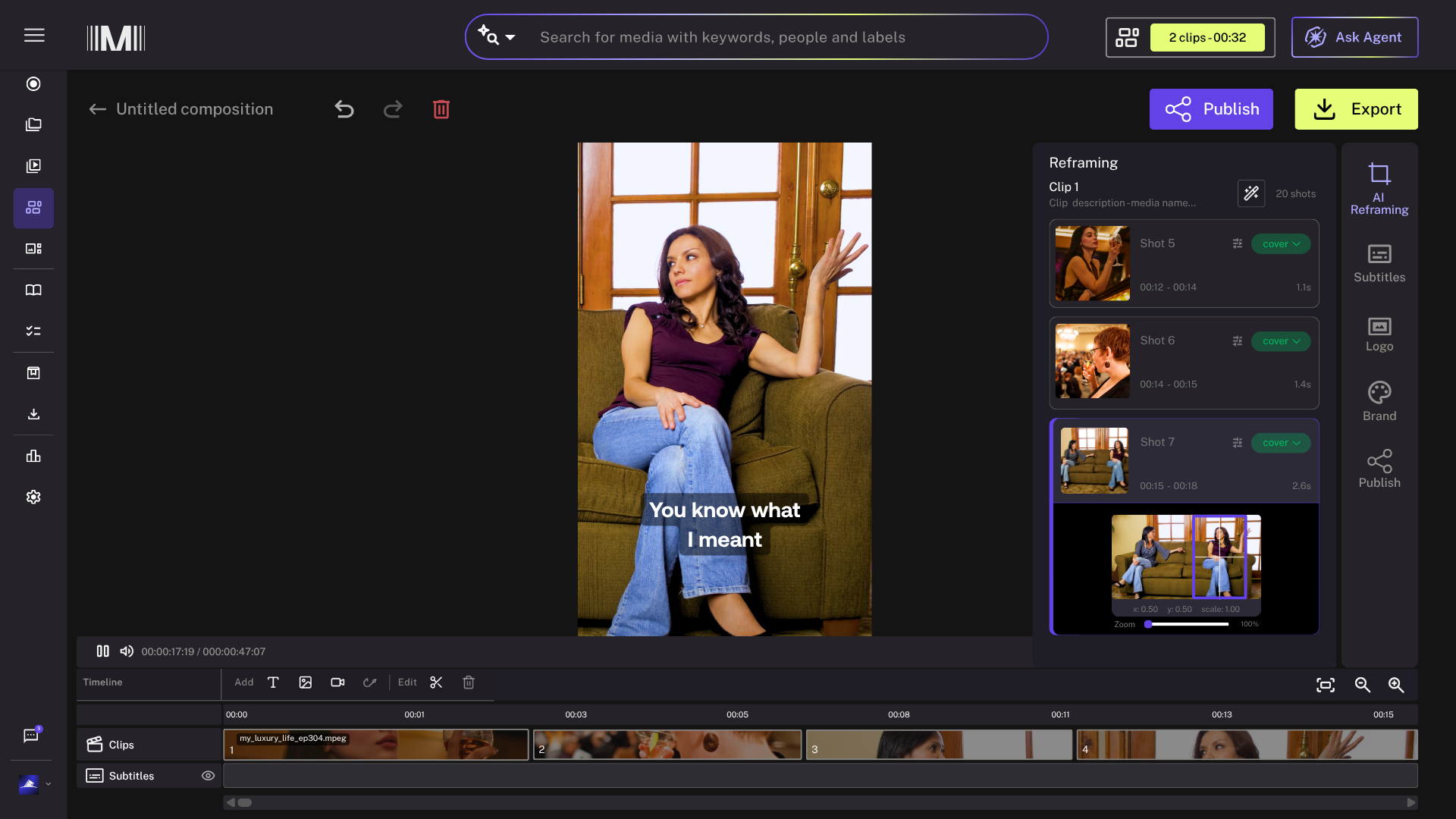
Choose short form or long form when you open a clip, and the workspace adapts to it.
- For vertical shorts, AI reframing recomposes your 16:9 footage into 9:16, shot by shot. It suggests the right treatment automatically, a tight crop when one person is talking, a split screen when two are, and you can override any of them.
- Subtitles are generated automatically from the original transcript, in any of the languages MXT supports.
- Apply your brand presets. Save your logo placement, font and subtitle style for each show, then apply the whole package in one click so everyone ships the same look.
Publish to every channel, with no export or re-upload
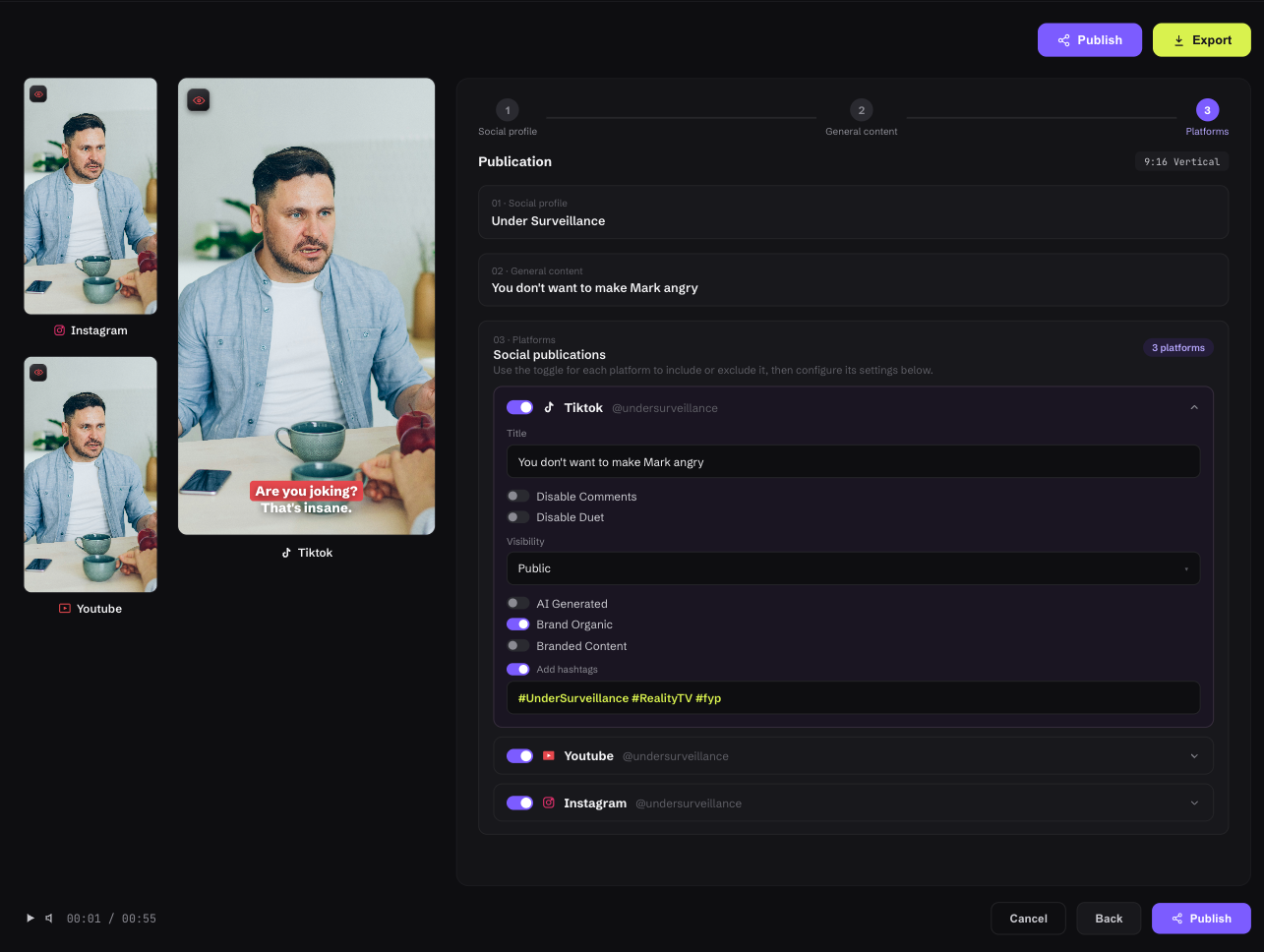
Social publishing posts directly from Studio.
- Preview how a post will look on each platform, safe zones and overlays included, before anything goes live.
- Write captions, hashtags and post settings for each channel, then publish now or schedule for later.
- Every post gets logged with a direct link to the live content, so you always know what went out and where.
Moments Lab 2.0 is the biggest step forward for the platform since it launched, and it won't be the last one this year. Our focus stays the same: helping the teams behind great shows get more out of them, with the people they already have.
Ready to see what your catalog looks like in Moments Lab 2.0?
Book a demo and we'll run it on one of your shows.
Already a customer? Studio is included in your plan at no extra cost. Open Moments Lab, bring a clip into Studio, or talk to your customer success manager about switching on publishing for your channels.
.avif)