Discovery Agent: Now You Can Prompt Inside Any Video File
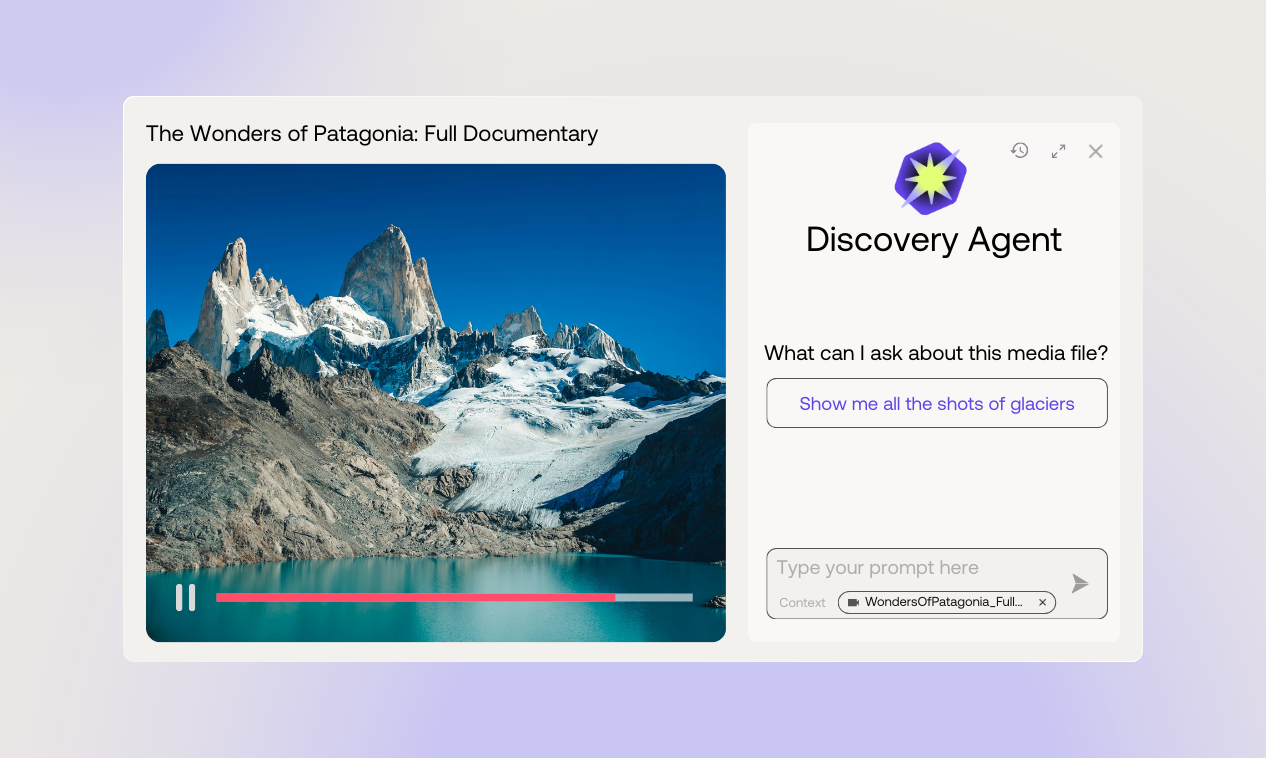
Simply open any media file, activate the Discovery Agent panel, and start asking for the moments that matter most.
When we released the Discovery Agent back in September, it transformed how teams search across entire archives. Instead of keyword-only search, you could ask questions naturally and find clips across thousands of hours of content, dating back decades.
It worked great—but users wanted more.
They asked: "Can the agent work inside a single video?"
Before, you could scroll through the moments panel to read AI-generated scene descriptions and curated soundbites, seeing what's in a video without watching it. Or you could search for specific keywords. But most users wanted something easier: a way to ask for what they needed and get it instantly.
That's what Agent in media delivers. It's like asking someone who's already seen the video, knows the best bits, and can show them to you in seconds.
Work smarter, right inside your media
With the Discovery Agent now available to access from within a single video file, you no longer need to juggle windows or guess exact keywords. Just open your video in Moments Lab, launch the Agent panel, and start typing naturally, as if you were talking to a teammate.
Ask for “the most emotional parts of this interview,” “funny reactions from the episode,” or “cinematic shots for the trailer.”
The agent understands creative intent, not just literal words. It instantly displays matching moments beside your video. Click one, and your playhead jumps right to that timecode, ready to clip, export, or download.
Didn’t get the result you were aiming for? Just ask again. Try “make them shorter,” “show only wide shots,” or “find something with higher energy.” The agent remembers your conversation and refines your results each time, learning from your direction until you land on the perfect moment.
Why it matters
Finding moments in long videos often meant hours of scrubbing through footage or scrolling through transcripts word by word. Keyword search could only find exact matches, but it missed the emotion, pacing, or visuals that actually mattered. You’d watch footage at 2x speed, hoping to spot the right moment. And every time you needed something new, you’d start the whole process again.
Now, every creative idea starts with a simple question. Instead of watching an entire video to find one clip, you jump directly to the timecode with one click. Instead of searching for exact words, you search by concept or creative intent. Instead of starting over each time, you have an ongoing conversation that remembers your context and improves results as you go.
Try it today
Open any media file, activate the agent panel, and start asking for the moments that matter most.
Want to see it live? Book a demo or contact your dedicated Moments Lab customer success manager.
Going to the 2026 NAB Show April 19-22 in Las Vegas? Schedule a meeting with us.
.png)