.webp)

About Adobe Premiere Pro
Adobe Premiere Pro is a professional video editing application, part of Adobe Creative Cloud. Editors use it to cut, mix, grade and export video for broadcast, streaming and social platforms.
Moments Lab and Adobe Premiere Pro
The content you put on Moments Lab lives in one system and your edit lives in another, so every clip starts with a request, a download and a re-upload. This panel closes that gap. Your editor searches everything the team has indexed in Moments Lab from a panel beside the timeline, finds the exact moment and drags it into the edit. That is more clips a week from the same team, at the cadence social demands rather than the one your archive can manage. Nothing has to be ripped out to get there: your media stays in the storage you already run, your editors stay in Premiere Pro, and Moments Lab sits alongside both.
How it works
The Moments Lab panel is a free plugin on Adobe Exchange, Adobe's marketplace. Download it, open it from the Extensions menu in Premiere Pro and sign in with your Moments Lab account.
Your Moments Lab library, one panel away from the timeline
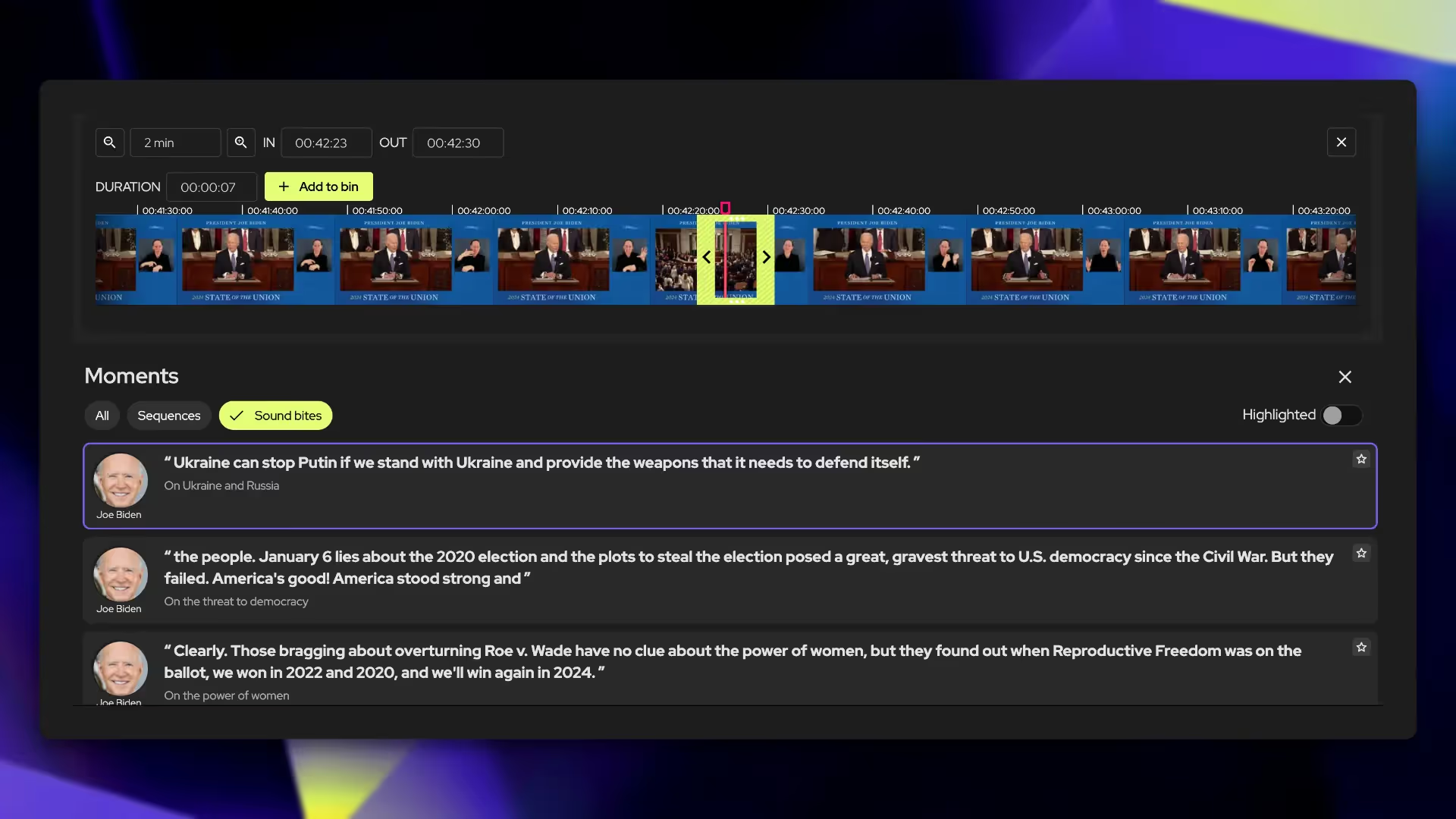
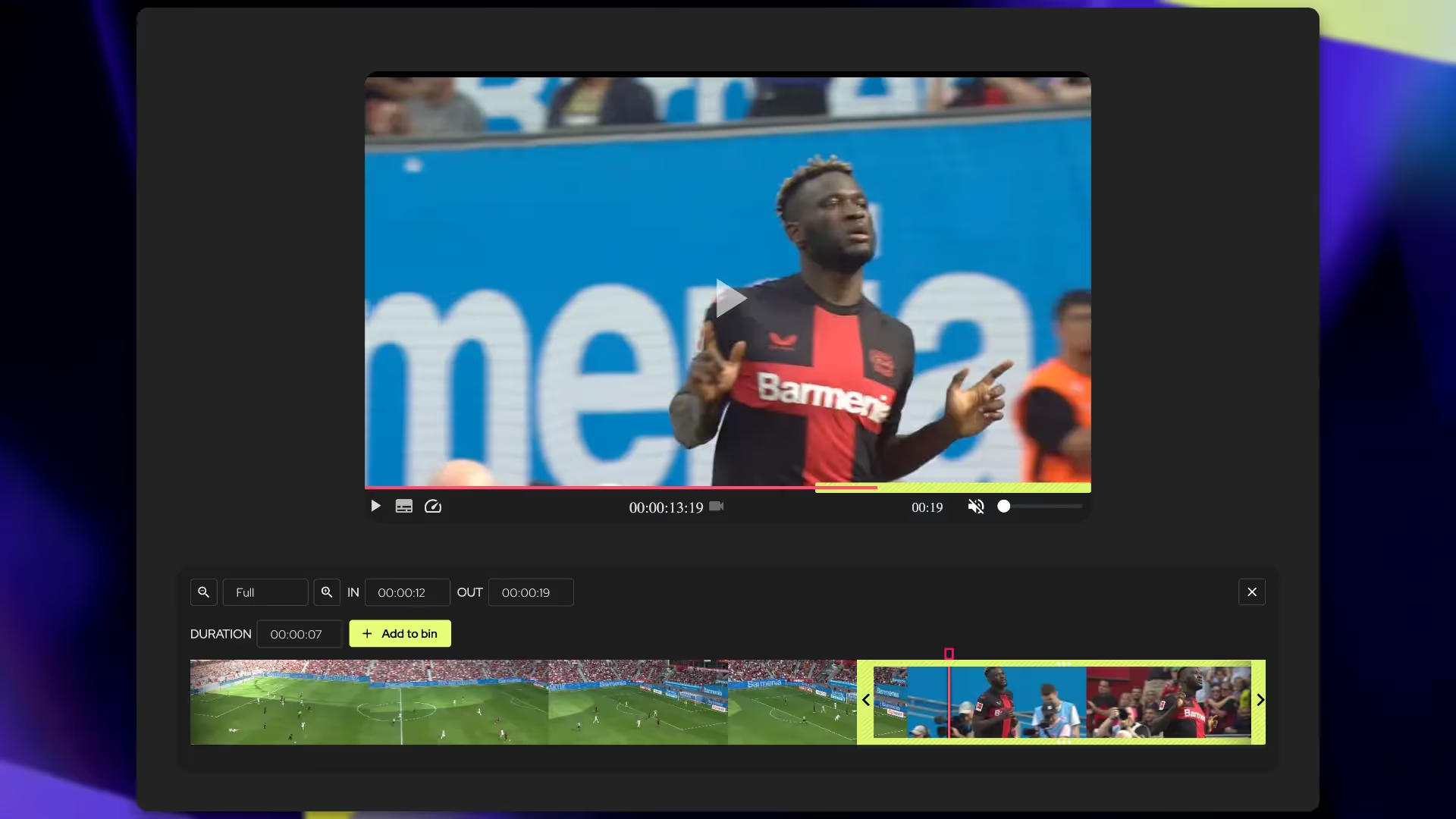
Browse the events, collections and projects your team built in Moments Lab, or search across everything you have indexed there. Results come back as whole files or the moments inside them, time-coded by the AI indexing. Filter by labels, people, approval status, moment type and your own custom fields. Open the clipping tool, set in and out points to the frame, then drag the result into your bin or onto the timeline.
Files, storage and access
With your own on-premises storage connected, the panel reads those files directly, so nothing waits on a high-res download. If your high-res sits in the cloud with us, turn on proxy workflows and cut against lower-res copies. Clips land in a local folder you choose at setup, tracked in the panel's media queue. Anyone with a Moments Lab account can open the panel, and their role decides what they see.
It runs both ways: drag rushes from your bin into Moments Lab for indexing, and export a finished cut back into a Moments Lab event.
Adobe Premiere Pro
Search your Moments Lab library from inside Adobe Premiere Pro and drop the exact moment onto your timeline.
Similar integrations


Search your Moments Lab catalog and pull clips into your Media Composer timeline
Connect a ready-made database of famous faces, so more of the people in your catalog are searchable by name


Automate tasks in qibb so new episodes reach Moments Lab, get indexed and are ready to clip.

.png)
Import and Index files and live streams, then pull the metadata into the systems you already run.

Automate the workflows that move content and metadata between your systems and Moments Lab.
